6-Step Checklist for a Reliable Xometry Instant Quote (From a Rush-Order Buyer)
-
Step 1: Review the model as if you were the machinist
-
Step 2: Use the instant quote as a baseline, not the final answer
-
Step 3: Match the material to the real need, not the buzzword
-
Step 4: Add the small details that keep the part from being rejected
-
Step 5: Check lead time and shipping before you hit submit
-
Step 6: Rename the file and make the revision obvious
-
Two questions I can't answer from my side of the desk
In my role coordinating custom parts for a small automation company, I've submitted well over 200 RFQs through Xometry manufacturing and similar platforms. The ones that go bad aren't usually because the part is too complex. They go bad because someone submitted something vague—an unbuildable file, a missing finish spec, or a deadline that was two weeks shorter than the standard lead time.
This checklist is for getting a Xometry instant quote that you can actually act on. I use it whenever a request comes in labeled 'urgent' or 'needed yesterday.' It's six steps. If you skip the first one, the rest will not save you.
Step 1: Review the model as if you were the machinist
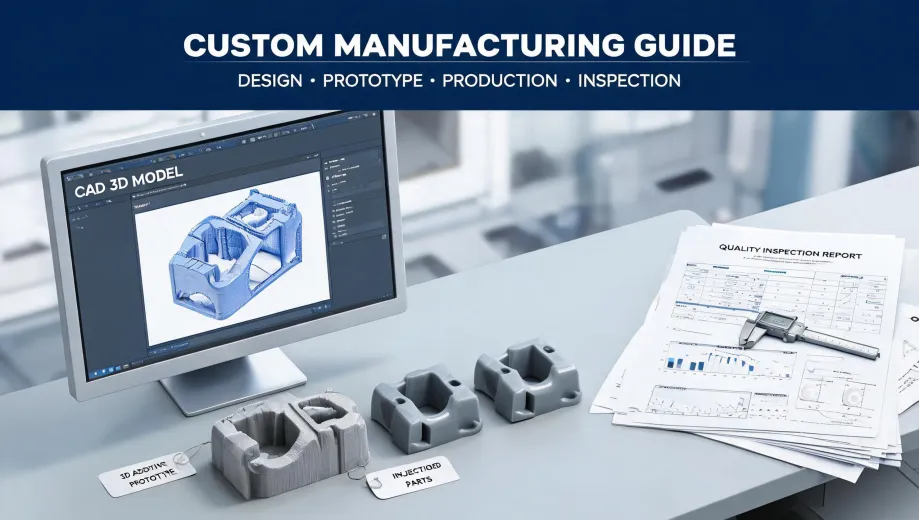
Before you open the Xometry instant quote page, look at the CAD file the way the shop will. Rotate the model, zoom into corners, check for duplicate bodies, and verify wall thickness. It only takes five minutes, but it's the cheapest insurance you'll ever get.
In March 2024, a startup client sent us a model for an enclosure with two shells that overlapped by half a millimeter. The Xometry instant quote came back at a great price—not because the part could be made, but because the geometry looked buildable. We waited a day for an engineering question, lost the afternoon re-quoting, and finally got it right. The mistake was in the file, not the platform.
I don't have hard data on how many uploaded models contain major errors, but based on our own review process, I'd guess roughly one in five. The important thing is that these errors are not automatically caught by the quote engine. That's your job.
Step 2: Use the instant quote as a baseline, not the final answer
The Xometry instant quote engine is genuinely quick. You upload a file, pick a process and material, and you have pricing in minutes. But it's still a software evaluation of geometry. It doesn't know that this bracket will sit next to a 400°F exhaust manifold, or that the part is going to be loaded in bending, or that your customer will drop it.
It's tempting to think 'instant quote = correct answer.' But what the instant quote actually gives you is a price and a lead time based on what the software can identify. The engineering judgment has to come from you. When I use Xometry manufacturing, I treat the quote as a strong baseline, then I run through the same questions I would ask any machine shop: Is the material right? Is the tolerance actually necessary? Is there a cheaper finish I can live with?
Step 3: Match the material to the real need, not the buzzword
Every once in a while, I get a call from someone who has been researching the industrial carbon fiber 3D printer price 2025 and wants to justify buying one. As of early 2025, the market for these machines is wide enough that I would not trust a single article's price without getting a vendor quote. If you're making hundreds of carbon fiber parts per month, a printer can make sense. If you need twelve brackets for a prototype, it doesn't.
In those cases, Xometry manufacturing can quote the parts with a carbon-fiber-filled nylon and skip the capital expense entirely. I can't tell you exactly what the industrial carbon fiber 3D printer price 2025 will be by the time you read this—that changes constantly—but I can tell you that the total cost of one machine, plus materials, plus learning time, is rarely justified by one job. Use the quote engine to compare a few material options. It costs nothing and gives you a real number to think about.
Step 4: Add the small details that keep the part from being rejected
This is where I see the worst back-and-forth. People assume the shop knows what they mean. The shop only knows what's in the model and the notes.
For example, if your drawing calls for a 9/32 end mill, that gives you a slot width and a certain corner radius. But a 9/32 end mill can have different corner radii depending on the tool. If you don't specify the inside corner, you might get a part that doesn't fit the mating component.
So put it in the notes. Something like: 'Slot is based on a 9/32 end mill; internal corner radius not critical, but please confirm before cutting.' You can also use the quote page's menus to select thread type, break edges, and surface finish. All of those little choices affect the part more than the material list does.
Step 5: Check lead time and shipping before you hit submit
Price gets the attention, but lead time is what kills projects. In September 2024, we had a machine guard that needed to ship before a customer site visit. The Xometry instant quote showed four days of manufacturing time. Standard shipping was seven days. Express shipping was three. The difference was about $165. Actually, $168 with tax. We paid it.
Was it annoying? Yes. Was it the right call? Absolutely. The customer's alternative was an empty machine bay and a wasted site visit, which would have cost around $8,000 in travel and credibility. A lot of people look at that extra shipping cost and decide to risk it with standard shipping. I've done that. It worked once, and I was lucky. The other time, I had to pay $90 overnight on a small part that should have been checked earlier.
I wish I had tracked the total amount we've spent on expedited shipping. Anecdotally, it has generally been cheaper than the delay.
Step 6: Rename the file and make the revision obvious
This is the step most people ignore. They upload 'Final_v7.step' and move on. But if there is one recurring source of rework in custom manufacturing, it's old file versions.
Our policy now is: before any quote request, rename the file with date, part number, and revision. Not 'xometry_bracket_rev2.step.' Use something like '2025-01-15_brkt-0142_revD_test.step.' If the file name contains the word 'final' twice, it's a bad sign. If it says 'use this one,' don't use it until you've verified it.
It sounds stupid. But I've lost count of the number of times a vendor has asked which revision is correct, and the answer was 'the one at the end of my desktop folder.' That's not a vendor problem. That's a process problem.
Two questions I can't answer from my side of the desk
First: people sometimes ask how much does it cost for CO2 laser treatment. I do not know if they're searching for a medical procedure or a cosmetic one, but either way, it's not the same as a CNC laser cutting quote. I don't have data on clinic pricing, and I'm not going to guess. If you're quoting an industrial laser job, upload a vector file and get a quote. If you're asking about skin treatments, you're reading the wrong article.
Second: nobody should treat 'instant quote' as a promise of zero defects. The platform is good, but no manufacturing process is perfect. The best way to avoid a bad part is to take ten minutes upfront—check the model, check the material, check the notes, and check the shipping method. Five minutes of verification beats five days of correction. That's not marketing language. It's just the rule I operate by.
My experience is based on a few hundred mid-sized orders, mostly CNC machining, 3D printing, and sheet metal parts. If you're sourcing tiny quantities or really unusual materials, your mileage will vary. But the checklist itself doesn't change: review the file, challenge the quote, specify the details, and leave a buffer for the things you can't control.