Beyond the Instant Quote: Navigating Xometry for Rush Orders, Metal 3D Printing, and CAD Pitfalls
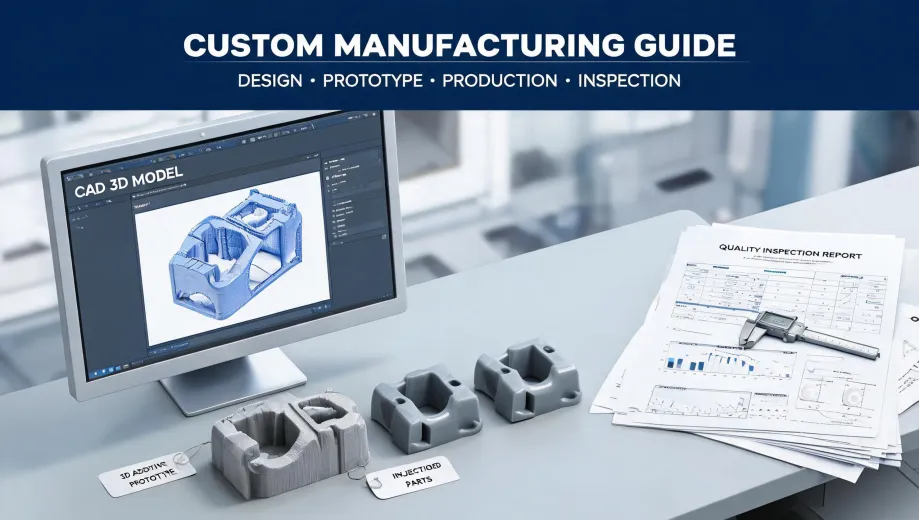
Let's be real. If you're reading this, you're probably not leisurely browsing for manufacturing options. You're either staring at a part that broke, a project deadline that just got moved up by two weeks, or a CAD file you need to turn into metal tomorrow. And your search bar probably just auto-filled 'Xometry' because, well, it's fast.
I coordinate rush orders for a living. In my role managing emergency procurement for an industrial equipment company, I've processed over 200 urgent jobs in the last three years, including weekend turnarounds for clients facing $50,000 penalty clauses. I've used Xometry plenty, alongside other platforms and local shops. So I'm going to drop the marketing fluff and give you the real deal on when Xometry works, when it might bite you, and how to avoid the most common, time-wasting pitfalls.
There's no single 'right way' to use a platform like this. Your approach should be totally different if you're prototyping vs. facing a production shutdown. Let's break it down by scenario.
You Have Three Scenarios. Pick Yours.
Before we dive into the weeds of laser cutter functions or vertical turning, let's figure out which camp you're in. Your decision-making process changes completely depending on this.
- Scenario A: The 'I Need It Yesterday' Emergency. A part failed. A machine is down. Your line is stopped. You need a replacement in 48 hours or less.
- Scenario B: The 'I'm Prototyping & Iterating' Phase. You're testing a design. You need 1-10 parts. Speed is important, but cost and material options (like, can I get this in metal from a 3D printer?) matter more.
- Scenario C: The 'I Need the Right Process, Not the Fastest' Dilemma. You have a drawing. You know it needs CNC, but is 'precision CNC vertical turning' the right call, or is a 5-axis mill better? You need guidance, not just a quote.
Scenario A: The Emergency Order – Speed Over Everything
This is where Xometry's instant quoting engine shines. You upload a file, and within minutes you have a price and a lead time. For a rush order, that's gold.
But here's the thing I learned the hard way: that instant quote is not a guarantee. I remember last November, a client called on a Thursday afternoon needing a stainless steel bracket for a trade show on Monday. Normal CNC turnaround is 5-7 days. I uploaded the file, got a 2-day rush price for $850 (plus $450 rush fee), and hit 'order'. The part arrived Saturday morning. Perfect. The client's alternative was missing their entire show—a $30,000 booth investment wasted.
That was a win. But I've also had the opposite. The most frustrating part of vendor management: you submit a perfectly formed CAD file, get a quote, pay for it, and then get a message saying 'we have a question about the geometry' or 'the instant quote didn't account for a complex undercut.' You'd think a fully defined model would prevent misunderstandings, but interpretation varies wildly.
My emergency advice: Before you even upload, call them. Or email the specific team. If you're looking for the xometry injection molding contact email for a rush, don't use the generic 'info@' address. If you're a registered buyer, you should have a direct account manager contact. That's who you need to email or call to confirm the feasibility before the clock starts ticking on the automated quote. A 10-minute phone call can save you 24 hours of back-and-forth.
Scenario B: Prototyping & Metal 3D Printing – Managing Expectations
This scenario is all about the eternal question: 'What 3D printer prints metal?' And the more practical question: 'Can Xometry do it for me affordably?'
Yes, you can get metal parts from 3D printers. Xometry offers Direct Metal Laser Sintering (DMLS), which uses a high-powered laser to fuse metal powder. It's amazing for complex geometries you can't machine, like internal cooling channels or lattice structures.
But here's the reality check. I have mixed feelings about DMLS for prototyping. On one hand, the design freedom is incredible. On the other, the cost-per-part for a single prototype is usually way higher than CNC turning, and the surface finish isn't as good. You'll almost always need post-machining on critical surfaces.
So, when should you use it?
- Use DMLS when: You have a complex, one-off part that cannot be machined (e.g., a manifold with complex internal passages).
- Avoid DMLS for: Simple brackets, shafts, or flanges. Just machine them. It's cheaper and faster.
If you go the 3D printing route, your xometry cad file preparation for manufacturing needs to be more rigorous than for CNC. I learned this the messy way. The third time I got a part whose support structures left ugly nubs on a sealing surface, I finally created a checklist. I now always add a note in the model: 'Mark surfaces requiring machining post-print.' That single step saved me a ton of rework.
Even after choosing DMLS for that complex manifold, I kept second-guessing. What if the internal channels had powder residue? The two weeks until delivery were stressful. I didn't relax until the part passed CT scan.
Scenario C: The 'Which Process is Right?' Decision
This is where you need to match the part to the process. Let's tackle a couple of technical points from your search terms.
Laser Cutter Function: More Than Just a Fancy Scissors
When you ask about 'laser cutter function,' you need to understand its limitations. A laser cutter is excellent for cutting flat sheet metal (up to about 1/4 inch mild steel, thinner for aluminum) with high precision. It leaves a slightly tapered, rougher edge than machining.
What it's not: It's not for 3D shapes or thick plates. If you're designing a part that is a flat profile, laser cutting is your cheapest, fastest option on Xometry with zero setup fees. If it needs a hole with a tight tolerance perpendicular to the sheet—that's a job for a laser followed by a tap or a separate machining step.
Precision CNC Vertical Turning: The Question is 'Why?'
If you're searching for 'precision cnc vertical turning,' you probably have a large, heavy, disc-shaped part (like a flywheel or a gear blank). Vertical turning is the right choice for parts that are better held on a faceplate than a chuck. But honestly, for 90% of the small-to-medium parts you'd get quoted on Xometry, standard CNC milling or horizontal turning (on a lathe) is usually the better, cheaper option.
Don't specify 'vertical turning' unless you know your part specifically requires it. It's a specialized process. Just upload your CAD and let their quoting engine suggest the best process. Or, put a note in your order: 'This is a large diameter, short length part. Is vertical turning recommended?' Trust the manufacturer's input here.
So, How Do You Decide Which Scenario You're In?
It comes down to two questions:
- How much time do you have? Less than 3 days? You're in Scenario A. Use the platform for speed, but always verify feasibility with a human first.
- Does your part require a specific, complex process? Yes? You're in Scenario C. Let the platform guide you, but don't blindly accept the first suggested process. Do your homework.
If you're prototyping, you're in Scenario B. Embrace the speed of the quote, but budget for potential re-work or finish issues. That $3,000 quote for a metal 3D print might save you weeks of machining time, but it won't come out looking like a polished billet part.
Look, I've been burned by taking the lowest quote from a discount vendor and then paying $800 in rush fees to get a working part from Xometry to fix their mess. The lowest quote almost never saves you money when time is the real currency. My company policy now requires a 48-hour buffer on any critical quote, a lesson learned after that expensive double-ordering mess in 2022. Trust me on this one.