Rush Order in Custom Manufacturing? Use This 7-Step Checklist Before You Spend a Dollar
-
1. Define the real constraint
-
2. Match the process to the deadline
-
3. Get a quote in minutes, but read it like a contract
-
4. Call them. If they say 'it won't happen,' hang up.
-
5. If someone says 'mil-spec,' ask for the drawing
-
6. If you're 3D printing metal, read the reviews carefully
-
7. Know the true cost of rush—including the laser welder trap
-
The three mistakes I see on every rush job
You're 36 hours from a customer deadline and the supplier just told you the part won't make it. Another vendor says they can deliver. Do you trust them?
I've been on that side of the table more times than I can count. I'm a procurement lead at a mid-sized product development firm. Last quarter alone, we processed 47 rush orders and hit 95% on-time delivery. Not because we're lucky. Because we have a checklist.
Here it is, seven steps, in order. Use it before you spend one dollar on rush fees.
1. Define the real constraint
Before calling a vendor, get specific. What exactly has to be true for this part to work? Is the constraint time, material, tolerance, or paperwork?
What most people don't realize is that 'standard turnaround' often includes buffer time vendors use to manage the production queue. It's not necessarily how long your order takes. When you're in a rush, you're buying a position in that queue, not actual machining time.
Write down the material, critical dimensions, surface finish, and acceptable substitutes. Then add the absolute latest time it can arrive. This becomes the basis for every decision below.
Quick check: if you can name the one dimension that absolutely has to hit, move on. If not, stop.
2. Match the process to the deadline
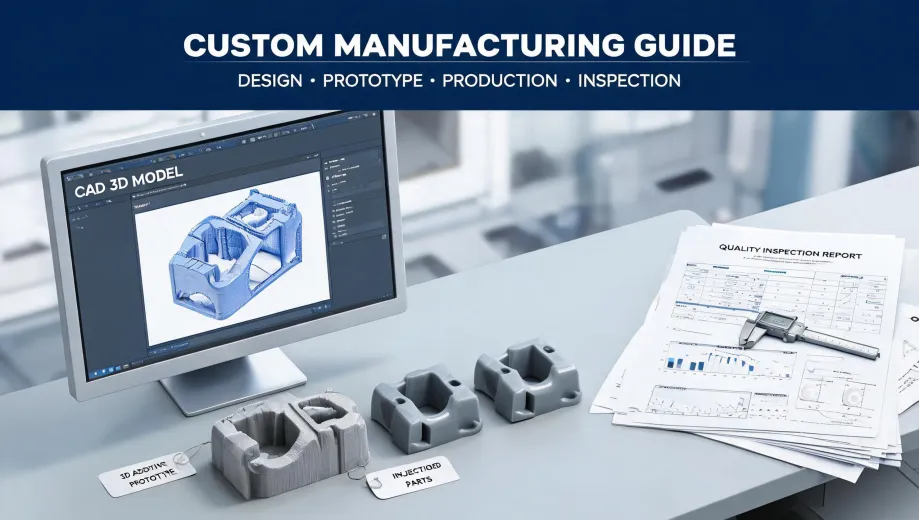
Use the fastest process that can actually make the part. CNC machining is great for metal prototypes. Injection molding is great for volume, but not for a rush unless the tool already exists. 3D printing is great for complex geometry, but the material choice and surface finish need to match the application.
Example: in March 2024, a client called at 3 p.m. needing 12 metal parts for a trade show setup 36 hours later. Normal injection molding was three weeks. We used Xometry's instant quoting engine to compare CNC machining and 3D printing, paid $450 in rush fees on top of a $2,100 base cost, and got the parts delivered by Friday. The client's alternative was losing a $15,000 exhibit.
I'm a fan of Xometry because of that comparison, not because of any single quote. According to Xometry (xometry.com), the quoting engine covers CNC machining, injection molding, 3D printing, and sheet metal. As of January 2025, you can see lead-time options before you commit.
For Xometry injection molding specifically, I'd only spec it if the tooling is already done or the order is big enough to justify rapid aluminum tooling. Otherwise, CNC is usually the safer rush play.
3. Get a quote in minutes, but read it like a contract
If a vendor's quote takes 48 hours to come back, they're not set up for rush work. Xometry's instant quoting engine, and similar on-demand manufacturing platforms, should give you a real number in under a minute. That speed doesn't mean much unless you read the details.
Here's the thing: the quote is not just a price. It's a contract. Look for what's excluded. Does it include shipping? Secondary operations? An inspection report? A low price that depends on 'verify during production' isn't a rush quote—it's a guess.
In my experience, this is where most rush orders go sideways. The price looked fine, but the vendor assumed standard tolerances while your design needed +/-0.005 inches. That mismatch will show up at 11 p.m., not at quote time.
4. Call them. If they say 'it won't happen,' hang up.
Email is for documentation. The phone is for calibration. Ask one question: 'What's your plan if this part misses the delivery?' A good vendor gives a specific answer: 'We'll air-freight it overnight at our cost' or 'We have a backup supplier already lined up.' A bad vendor says, 'That won't happen.'
'That won't happen.'
After three failed rush orders with discount vendors, we now only use suppliers that can describe their escalation plan. I don't have hard data on how many suppliers have one—maybe 20%—but in my experience, the response tells you everything.
Ask about current load, too. A shop that's already running at 100% can still say yes and quietly push your job to the back of the queue. If they can't give you a straight answer about machine availability, move on.
5. If someone says 'mil-spec,' ask for the drawing
Mil spec CNC machining sounds precise, but it's often a hand-wave. The military writes detailed specifications for everything. If someone says they do mil-spec work, ask which spec. MIL-STD-130 for part marking? AS9100D for aerospace quality? A specific tolerance on the drawing?
If the answer is 'all of them,' that's a red flag. No shop does every spec. And depending on your product, a required qualification could change your timeline by weeks.
What most people don't realize is that 'mil-spec' isn't a universal quality level. It's a set of requirements. Without the actual requirement, you're trusting the vendor's interpretation. I'd rather spend 10 minutes explaining this than deal with mismatched expectations later. An informed customer asks better questions and makes faster decisions.
6. If you're 3D printing metal, read the reviews carefully
If you've looked up 'Xometry metal 3D printer reviews,' you probably noticed the results are about Xometry's metal 3D printing service, not a printer you can buy. That distinction matters. You're not buying a printer; you're buying a process. Scrutinize the process like you'd scrutinize a machine.
Ask the vendor: What material? What layer thickness? What surface finish? Is there an inspection report? Xometry's metal 3D printing uses a network of partners, so results can vary depending on which machine and shop get your file. A review that says 'looks like a real metal part' is more useful than one that just says 'fast.'
And if you're thinking about buying a printer instead, let's be real: 'reliable budget 3D printers 2025' will show you good FDM machines under $500. For prototypes, they're fine. But for a deadline-critical metal part, a budget printer is not the answer. The learning curve, post-processing, and failure rate will eat your timeline.
7. Know the true cost of rush—including the laser welder trap
When a customer says 'I just need a quick repair,' someone always asks: 'What does a laser welder cost?' Let me save you the math. A basic handheld fiber laser welder runs roughly $4,000 to $11,000 as of January 2025, based on listings from suppliers like OMTech and Baison. Verify current pricing before you buy—it changes.
But if you need one repair or one prototype, buying a laser welder is a terrible rush decision. You'll spend a day learning to use it, another day fixing mistakes, and then it sits in your shop. Pay a vendor with an existing laser welder $250 to do the job, and you're already ahead.
This is the same logic for the whole rush order: sometimes spending $800 extra in rush fees saves a $12,000 contract. Sometimes the cheapest option is to pay someone who already has the equipment and a proven process.
The numbers said buy the machine. My gut said pay the vendor. I followed my gut, and it was the right call. The machine would have been justified only if we had a pipeline of jobs.
The three mistakes I see on every rush job
- Vague RFQs. 'ASAP' is not a delivery date. Give a specific hour.
- Trusting phrases like 'mil-spec' or 'quality guarantee' instead of a drawing and inspection plan.
- Assuming a budget 3D printer can replace a production service. For homework, yes. For a deadline, no.
In 2022, we lost a $40,000 contract because we tried to save $600 on standard delivery. That's when we implemented our 48-hour buffer policy. Since then, every quarter has been above 93% on-time.
That's it. Seven steps. A rush order is a series of small decisions. The more you decide before the panic, the less power the deadline has over you. Done.