Xometry for MRO vs. Industrial 3D Printers: Which Delivers When the Deadline is Tight?
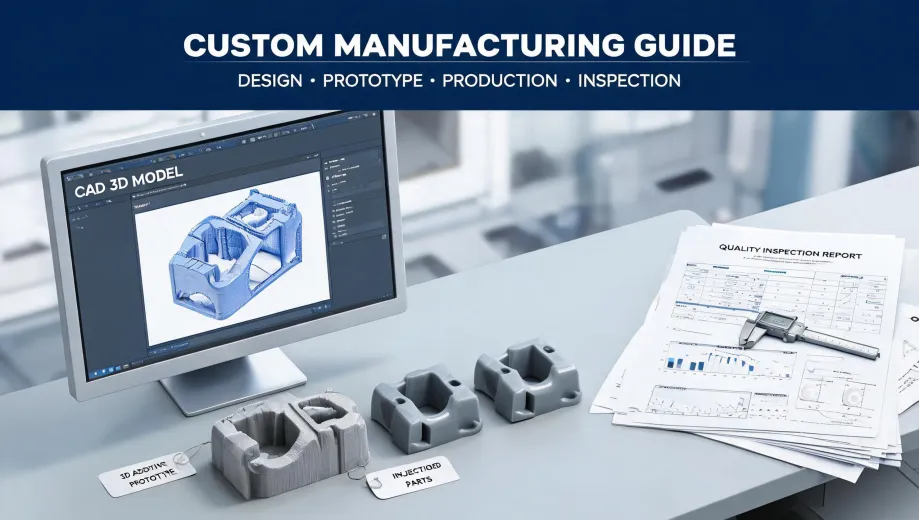
Xometry for MRO vs. Owning an Industrial 3D Printer: The Real Comparison
Last week, a client called needing ten replacement parts for a production line that had just failed. The original vendor quoted a 4-week lead time. Their alternative? Either an emergency order from an on-demand platform like Xometry, or—if they had one—an internal industrial 3D printer. I've handled over 200 rush orders in the last three years, and this comparison comes up more often than you'd think.
If you've ever been on the fence between buying a platform service for MRO or investing in an industrial FDM/FFF printer, here's what I've learned from real-world emergencies.
Dimension 1: Turnaround Time
Xometry's Standard Rush vs. In-House Printing
When you need a part today, owning a printer sounds like the obvious winner. You walk over, hit print, and wait. But the surprise isn't the print time—it's everything else.
Xometry (via their instant quoting engine): For a simple bracket, I've gotten a quote within seconds and selected 24-hour shipping. In March 2024, we had a part quoted and in production in under 10 minutes. Total door-to-door time: 48 hours. (We paid a premium—$320 for a part that normally costs $80—but it saved a $15,000 line shutdown.)
In-house industrial printer: The print itself took 20 hours. Then we needed post-processing (support removal, sanding, acetone vapor smoothing). That added another 4 hours. Total time: 24 hours plus the time to set up the job and troubleshoot a failed first print (ugh).
Never expected the service to be competitive on speed. Turns out, for complex geometries, the platform can sometimes be faster because they're running multiple machines in parallel, not just one.
Bottom line: If you need a part in under 12 hours and you have a printer already loaded and running, in-house wins. For anything else, the service's guaranteed turnaround is way more reliable than I initially thought.
Dimension 2: Hidden Cost & Value
Like most beginners (yes, including me), I assumed owning a printer would be cheaper. Spoiler: it's a ton of hidden costs.
Xometry's cost: The quote was $320. All-in. No filament cost, no maintenance, no failed prints. The platform's instant quoting engine shows the exact price upfront (should mention: includes support material and standard finishing).
In-house printer TCO:
- Printer (industrial-grade): $15,000–$50,000 upfront
- Filament per part: $15–$40 (depending on material)
- Maintenance: ~$2,000 annually
- Failed prints: 1 in 8, on average (so 12.5% waste)
- Operator time (setting up, troubleshooting, post-processing): $200–$500 per job
In my role coordinating emergency parts, I once did a full cost analysis for a client. The first year of owning a printer cost them $22,000 (including training time). They did 30 rush orders that year. Average cost per part from Xometry equivalent: $150. Average in-house cost: $733 per part. (At least, that's been my experience—your mileage may vary.)
So glad I pushed them to do that analysis first. They almost bought the printer to save $50 per part on standard lead times. The surprise wasn't the price difference. It was how much hidden value came with the platform—zero capital expenditure, predictable per-part cost, and zero risk of downtime from machine failure.
Dimension 3: Part Reliability & Material Choice
This is where the comparison gets seriously interesting. In my first year, I made the classic specification error: assumed all 'ABS' was the same. Cost me a $600 redo when an in-house printed part warped under heat. The in-house printer was using a generic ABS blend; the on-demand service uses certified materials with spec sheets.
Xometry's advantage: They offer hundreds of materials—from standard ABS to PEEK to Ultem—with published mechanical properties. For MRO parts that need to hold up under load or heat, that documentation is gold. Plus, they can do CNC machining or sheet metal fabrication, which no printer can match for metal parts.
In-house printer's advantage: For a quick prototype or a jig that doesn't see much stress, the flexibility of being able to tweak the design and reprint in 24 hours is a game-changer. You're not waiting for a quote or shipping.
Decision point: If the part will fail catastrophically (think: a bracket holding a heavy motor) or needs to meet a specific standard, go with the platform. If it's a drill guide or a fixture that just needs to hold a tool in place, print it yourself.
So, What Should You Do?
Here's my take, based on managing 47 rush orders last quarter alone:
- Situation A: Emergency MRO stop-gap. The part failed now. Use an on-demand service like Xometry for a guaranteed 24-48 hour turn.
- Situation B: Frequent low-stress part. Invest in an industrial FDM printer (maybe a used one) for in-house flexibility, but keep a relationship with a platform for the tough jobs.
- Situation C: You're a shop that's on the fence. Don't buy the printer yet. Run 10 parts through a service first. Track the total cost (including your time). Then decide. That $15,000 printer might just be a paperweight if you don't use it.
(Oh, and if you're also looking for a resin printer compatible with these MRO workflows—the Formlabs Form 3+ is a no-brainer for high-detail parts, but that's a different conversation.)